

Overview
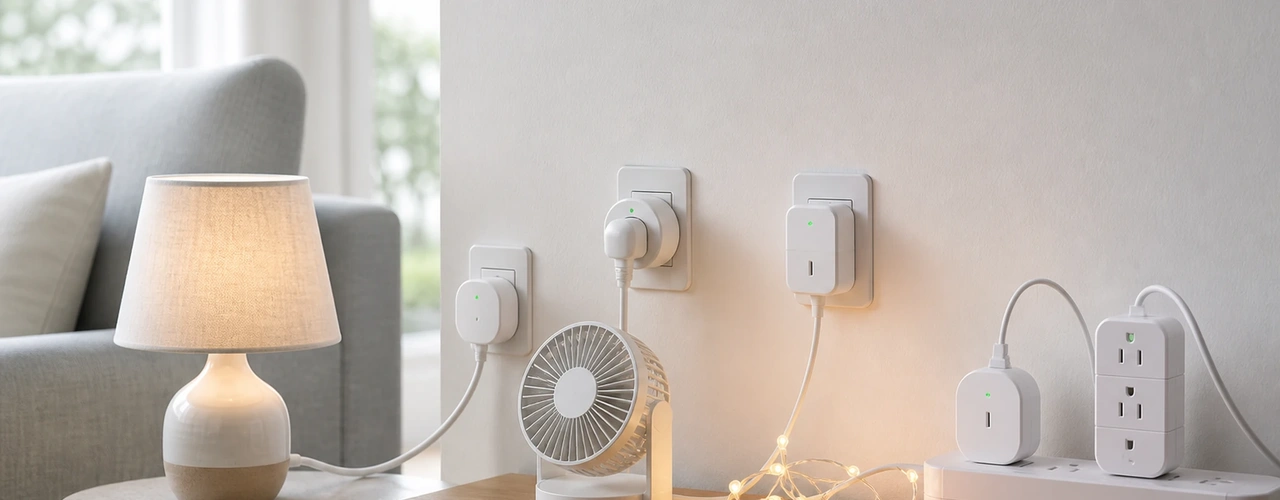
Choosing the best smart plugs for your home is harder than it looks, because plugs that seem identical differ in which voice assistants and apps they work with, how much they can automate and whether they report energy use. A wrong pick can mean a plug that will not join your existing setup or a second app you did not want. This comparison weighs five Wi-Fi plugs on three criteria: ecosystem compatibility, scheduling and automation features, and extras such as power measurement or multi-pack value, so you can match one to how you actually live.
| Product | Rating | Best For | |
|---|---|---|---|
| Kasa Smart Plug Ultra Mini 15A EP10 | ★ 4.5/5 (40,975) | Simple, compact everyday control | View → |
| Tapo Matter Compatible Smart Plug P125M 15A | ★ 4.5/5 (3,044) | Mixed smart home platforms | View → |
| Amazon Basics Smart Plug with Timer Function | ★ 4.4/5 (8,733) | Alexa-only households | View → |
| Shelly Plus Plug US | ★ 4.5/5 (347) | Energy monitoring and tinkering | View → |
| TREATLIFE Smart Plug 4 Pack | ★ 4.3/5 (5,482) | Outfitting many outlets cheaply | View → |
Matter support makes it the most flexible choice across Alexa, Google and Apple homes, and it keeps the 15A rating. It lacks energy readings, so metering fans may prefer the Shelly.
Check Price on Amazon →Kasa Smart Plug Ultra Mini 15A EP10

This is a compact Wi-Fi plug rated for 15A, designed to cover a single outlet without blocking its neighbor. It is controlled through its own app and works with the major voice assistants, so it suits people who want simple scheduling, remote on and off and voice control for a lamp, fan or holiday lights. Setup is a plug-in-and-pair affair over a 2.4 GHz network. The trade-offs are that it has no power measurement, and it is not a Matter device, so it will not join Apple Home through that standard. Buyers often mention that the slim body is convenient and that setup is quick, while a few note that it needs a stable 2.4 GHz signal to stay reliably connected.
Tapo Matter Compatible Smart Plug P125M 15A

This 15A Wi-Fi plug supports the Matter standard, which lets it be added to several smart home platforms rather than being tied to a single one. That makes it a sensible choice for households that mix assistants, or that use Apple Home alongside Alexa or Google. It also works through its own app for schedules and timers. Matter setup usually involves scanning a code and a compatible hub or controller on the network, which adds a step compared with a basic plug. Like most plugs in this class it connects over 2.4 GHz Wi-Fi, and it does not give the detailed energy readings that a metering plug offers. It is aimed at people who value flexibility and future compatibility.
Amazon Basics Smart Plug with Timer Function

This plug is built for households that already use Alexa and want the least complicated way to automate an outlet. It works with Alexa only, so it is not suited to people who rely on Google Home or Apple Home. It includes a timer function, and routines and voice commands are handled through the Alexa app, which keeps the setup short for existing Echo users. The main trade-off is the narrow compatibility: if you switch assistants later, the plug loses its main advantage. It also lacks power measurement and any broader platform support. For a lamp or small appliance in an Alexa home, it covers the basics without extra features to learn.
Shelly Plus Plug US

This plug combines Wi-Fi and Bluetooth with built-in power measurement, so it can show how much energy a connected device draws. That makes it attractive for tinkerers and for anyone who wants to see what a heater, fridge or entertainment center uses over time. Shelly devices are known for offering local control options and integration with many home automation systems, though the app and settings give you more choices than a basic plug and take longer to configure. Bluetooth helps during initial setup. The trade-offs are a steeper learning curve, a bulkier design than ultra-slim plugs and less of a plug-and-play feel for first-time smart home users.
TREATLIFE Smart Plug 4 Pack

This is sold as a four-pack of 15A Wi-Fi plugs, which makes the cost per outlet easier to manage when you want to automate several devices at once, such as lamps, a coffee maker and seasonal lights. It includes a timer function and a child lock, and it is controlled through an app with voice assistant support. It suits people who want broad coverage across rooms rather than a few premium features. The trade-offs are that it offers no Matter support, no power measurement and a brand ecosystem that is less widely known than the larger names, so app polish and long-term update support are worth considering. Buyers often mention the multi-pack value.
Conclusion
Choose this one over the others if you want a slim, proven plug for one or two devices with schedules and voice control, and you do not need Matter, Apple Home support or energy readings. Read More →
Choose this one if your home mixes platforms or you use Apple Home, since Matter support gives it more flexibility than the Alexa-only plug or the basic Wi-Fi models, at the cost of a slightly longer setup. Read More →
Choose this one only if you live fully inside Alexa and want a no-fuss timer plug. If you might move to Google or Apple, the Matter plug or the other Wi-Fi models are safer long-term choices. Read More →
Choose this one over the others if you want to see how much power a device draws or build local automations. If you only want on and off schedules, a simpler plug will be quicker to set up. Read More →
Choose this one when you need many outlets covered and a child lock matters, since the four-pack spreads cost across rooms. For energy data or Matter, pick the metering or Matter plug instead. Read More →
Frequently Asked Questions
Which smart plug works with the most smart home platforms? +
Among these five, the Matter-compatible plug is the most flexible, since Matter lets it be added to several platforms including Apple Home. The Amazon Basics plug is the narrowest, because it works with Alexa only.
Do any of these plugs measure how much power a device uses? +
The Shelly Plus Plug US is the one in this comparison with built-in power measurement. The other four focus on scheduling, timers and remote control and do not offer detailed energy readings.
Is a four-pack of smart plugs worth it compared with single plugs? +
A multi-pack makes sense if you plan to automate several outlets, because the cost per plug is easier to manage. If you only need one or two, a single plug with the features you want, such as Matter or metering, may fit better.
Do I need a 5 GHz network for these smart plugs? +
Most plugs in this class connect over 2.4 GHz Wi-Fi, so make sure your router offers that band during setup. A stable 2.4 GHz signal near the outlet helps avoid dropped connections that buyers sometimes mention.
Which plug suits someone who just wants a simple timer for a lamp? +
The Amazon Basics plug is simplest if you use Alexa, and the Kasa EP10 is a compact all-round option if you use other assistants. Both cover schedules and voice control without extra setup steps.